


Articles
Current news about info displays, events, Digital Signage and much more.

New features for the stop schedule and other improvements to the user interface
SeeSignage's user interface has been updated, and the new version offers several improvements to the interface as well as a refreshed look for the stop schedule widget.HSL stop schedules You can now create even more versatile bus stop schedules with the info page...

Boost Your Business with Information Displays – Case: Savon Kinot
How Movie Theater Center Tapio Revamped the Customer Experience with Information Displays In the golden age of streaming services, traditional movie theaters face challenges in maintaining the interest of their customers. Movie Theater Center Tapio has addressed this...

The origin of the fish and meat is clearly visible on the info screens
With SeeSignage’s updated screen system, businesses can smoothly change fish and meat origin labels on screens. This tool offers two main perks. It makes the shopping experience better by clearly showing where products come from. It also helps businesses follow...

User interface update, origin tables and other improvements
The user interface of SeeSignage has been updated, and the new version offers an even smoother user experience. The update brings with it faster performance, a more responsive appearance, and revamped user interface components.Fish and meat origin tables According to...

Adding a playlist to the info page
The info page editor's media carousel now also supports playing playlist images and videos on the info page. Click on the media carousel in the left sidebar of the info page editor. Choose a media library or a playlist as the source of the media carousel. Uutta...

New features for adding media to playlist and other improvements
The user experience of the media library has been improved on SeeSignage's playlists, info pages, publishing channels and templates. For example, you can add new media files directly to the folder when you add media to a playlist. You can now also add media files...

Refresh interval for website widget
You can now add an refresh interval to the website widget in infopage editor. The refresh interval enables the website to be updated e.g. every 5 minutes. It is a useful feature when you want to display the same infopage on the screen for a longer time and be sure...

Seamless video playback on info screens and other improvements
Seamless video playback Videos play more smoothly on Samsung's Digital Signage screens. In video playback, we now use hardware acceleration, so that video playback is more efficient and faster than before. Support for m4v format videos You can now upload videos in m4v...
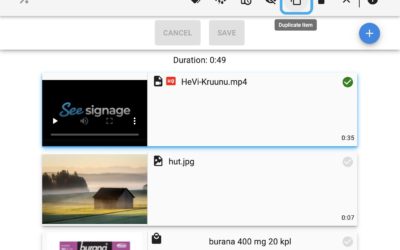
Duplicating playlist item and media sorting function
You can now duplicate a playlist item by selecting the item and clicking the duplicate button on the toolbar. The feature is useful if you want to show the same media several times in the playlist.Media sorting function in the media library when you add a picture or...

Information about new features on the website
From now on, we will inform all our users about new features directly on the front page of the SeeSignage app and on the release notes page of our website. We are constantly developing new features for SeeSignage, and it is important to us that our customers get the...

The partnership between Grano and SeeSignage strengthens the customer experience in the store
Grano and SeeSignage have signed a cooperation agreement to increase the efficiency of companies' marketing and improve store image and customer satisfaction. New stimuli for customers visiting the store Our new combined solution keeps the store environment up to date...

Take your brand to the next level!
SeeSignage's easy-to-use advertising and information displays are a great brand enhancer. Digital Signage displays have several benefits Displays attract more customers to stores Market products efficiently and effortlessly Save time and focus on the essentials Sell...