

Articles
Current news about info displays, events, Digital Signage and much more.
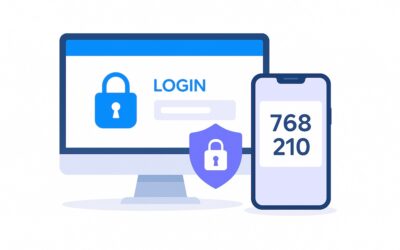
Two-Factor Authentication (MFA)
SeeSignage now supports two-factor authentication (MFA, Multi-Factor Authentication), adding an extra layer of security to your account during login. With MFA enabled, signing in requires both your password and a one-time verification code generated by an...
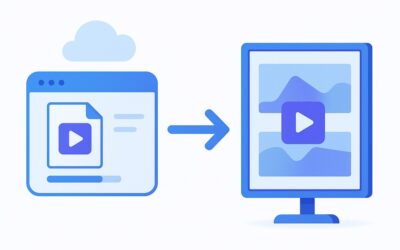
Improvements to Media Conversion
SeeSignage media conversion is now faster, more efficient, and more stable than ever. The updated conversion process handles videos more quickly and uses server resources optimally. This update reduces waiting times, speeds up content publishing, and improves overall...

New Proof of Play features!
Proof of Play is an essential part of managing digital signage content, allowing you to accurately track when and how often your content has been displayed across various playlists and screens. This helps you measure content performance and provides precise reporting...

Modernize Your Property Communications with SeeSignage Digital Signage
Managing properties is a continuous balancing act between changing information and effective communication. Retta Management Oy approached this challenge innovatively, bringing Keva's property communications into a new era with SeeSignage digital displays. The...

Falcony integration for displaying announcements
A new Falcony Announcements widget has now been added to the SeeSignage infopage editor, enabling the display of announcements and other notifications created with the Falcony system as a news feed on info pages. Add the widget in the infopage editor by clicking...

New features to the info page editor: workarea toolbar, info page custom resolution, support for info pages in the media carousel, and much more
The new SeeSignage update includes several improvements to the info page editor. You can now create info pages with custom sizes, add info pages to the media carousel widget, and manage the editor workspace more smoothly.Changes to the appearance of the infopage...

New features for the stop schedule and other improvements to the user interface
SeeSignage's user interface has been updated, and the new version offers several improvements to the interface as well as a refreshed look for the stop schedule widget.HSL stop schedules You can now create even more versatile bus stop schedules with the info page...

Boost Your Business with Information Displays – Case: Savon Kinot
How Movie Theater Center Tapio Revamped the Customer Experience with Information Displays In the golden age of streaming services, traditional movie theaters face challenges in maintaining the interest of their customers. Movie Theater Center Tapio has addressed this...

The origin of the fish and meat is clearly visible on the info screens
With SeeSignage’s updated screen system, businesses can smoothly change fish and meat origin labels on screens. This tool offers two main perks. It makes the shopping experience better by clearly showing where products come from. It also helps businesses follow...

User interface update, origin tables and other improvements
The user interface of SeeSignage has been updated, and the new version offers an even smoother user experience. The update brings with it faster performance, a more responsive appearance, and revamped user interface components.Fish and meat origin tables According to...

Adding a playlist to the info page
The info page editor's media carousel now also supports playing playlist images and videos on the info page. Click on the media carousel in the left sidebar of the info page editor. Choose a media library or a playlist as the source of the media carousel. Uutta...

New features for adding media to playlist and other improvements
The user experience of the media library has been improved on SeeSignage's playlists, info pages, publishing channels and templates. For example, you can add new media files directly to the folder when you add media to a playlist. You can now also add media files...